
In short: in Google Flow you download each image or video from its own menu, one at a time, and the file gets a generic name. With Prompt Batch, every result of your list is downloaded the moment it is ready, at the size you chose, and saved as 01_name.jpg, 02_name.mp4… in the order of your file.
This guide covers the download side of a run: how files are named, where they go, and which sizes to pick. New to Prompt Batch? Start with Run many prompts in Google Flow at once.
1. Name your rows
Add a name column to your file. That name is used twice: as the file name on your computer, and as the result's title inside Flow, so you can find it again in the project.
prompt,type,name
"A quiet harbour at dawn, soft mist",image,harbour
"The same harbour at night",image,harbour_night
"Slow push-in over the harbour",video,harbour_clip
No name column? The file name is made from the first words of the prompt (up to six words), so A quiet harbour at dawn becomes 01_a-quiet-harbour-at-dawn.jpg. Arabic names and prompts work too.
2. Pick the folder
In the panel's Download section, Folder in Downloads is the folder your files go to. It is Prompt Batch unless you change it.
- When you load a file, a subfolder with that file's name is added by itself, so each list keeps its own folder. Pasted prompts go straight into the main folder.
- Type
/to make your own subfolders, for examplePrompt Batch/Ads. - The line Saved in: under the field shows the full path before you start.
3. Pick the sizes
| Setting | Choices | Good to know |
|---|---|---|
| Image size | 1K, 2K, 4K | 2K and 4K are upscaled by Flow, so they take a little longer. |
| Video size | 720p, 1080p, GIF | 1080p is upscaled by Flow too. GIF makes a small animated file. |
| Seconds between downloads | 5 or more (10 by default) | Used when a prompt makes more than one result. |
Flow sometimes fails to upscale after many in a row. Prompt Batch then tries again a minute later. If it fails twice, it saves Flow's original size instead (1K image or 720p video), adds that size to the name (_1K for an image, _720p for a video), shows a yellow note on that row, and carries on.
4. Run it
Check that Download results automatically is on (it is by default), then press Start. For each row, Prompt Batch waits for the result, renames it in Flow, downloads it, and only then moves to the next prompt.
The first time, Chrome may ask to allow several downloads from flow.google.com. Allow it, or the files after the first one will not be saved.
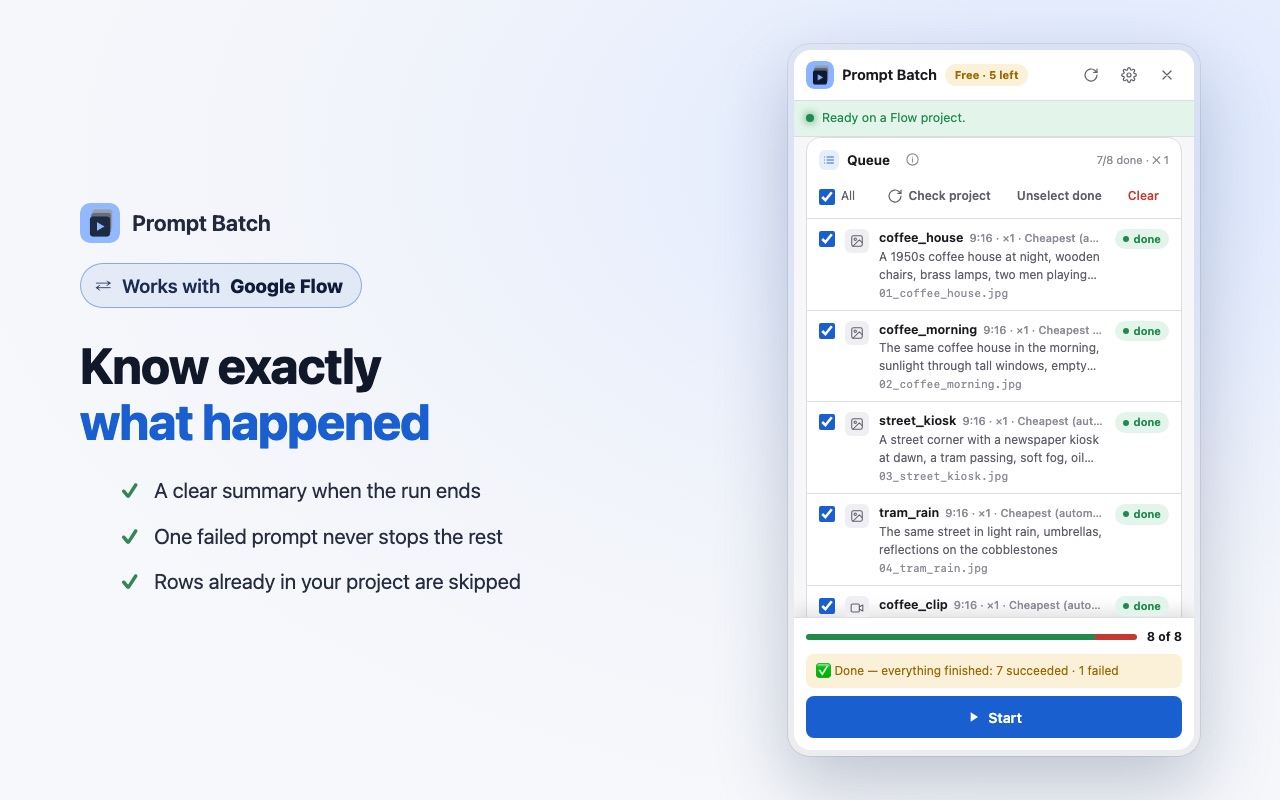
What you get
For a file called harbour-ad.csv, with the default folder:
Downloads/
└─ Prompt Batch/
   └─ harbour-ad/
      ├─ 01_harbour.jpg
      ├─ 02_harbour_night_1.jpg
      ├─ 02_harbour_night_2.jpg
      └─ 03_harbour_clip.mp4
The number is the row's place in your file, so the files sort in the same order as your list. When one prompt makes several results, they get _1, _2… at the end.
Tips
- Keep names short and different. They become file names and Flow titles, and a later row can use them as a reference or start picture.
- Pick the size before you start. The size is chosen when each file is downloaded, not after the run.
- One file per project. Because each loaded file gets its own subfolder, giving your files clear names (for example
day-1.csv,day-2.csv) keeps your downloads tidy. - Need only the results in Flow? Switch off Download results automatically. Everything is still made and named in your Flow project.
Questions
Can it download results I made in Flow before, by hand?
No. Prompt Batch saves the results it makes during a run. Results you made earlier stay in your Flow project, where you can download them from each one's menu.
Why does a file end in "_1K" or "_720p"?
Flow could not upscale it to the size you chose, even after a second try a minute later, so Prompt Batch saved the original size instead of nothing. The row shows a yellow note.
Only the first file was saved. Why?
Chrome blocks several downloads from one site until you allow them. Allow multiple downloads for flow.google.com when Chrome asks, or in Chrome's site settings, and run the missing rows again.
Do Arabic names work?
Yes. Arabic letters are kept in file names and in Flow titles.