ProductsالمنتجاتPrompt BatchPrompt Batch

Prompt BatchPrompt Batch Available nowمتاحة الآن

Run a whole file of prompts in Google Flowشغّل ملفًا كاملًا من الأوامر في Google Flow

Chrome extensionإضافة ChromeWorks with Google Flowتعمل مع Google Flow

Free for your first 5 results · Pro from $6.50/month or $15 onceمجانية لأول 5 نتائج · النسخة الاحترافية من $6.50 شهريًا أو $15 مرة واحدة

In short: Google Flow's prompt box sends one prompt at a time, and you wait for each result before typing the next. To run a whole list, put your prompts in a file (Excel, CSV or plain text) and let Prompt Batch, a Chrome extension, send them one by one in your own Flow project. It waits for each image or video, names it and downloads it for you.

This guide shows the whole run, from an empty spreadsheet to a folder of named files. Prompt Batch is free for your first 5 results, with every feature included, so you can try it on a small list first.

Before you start

  • Chrome on a computer. Prompt Batch is a Chrome extension; it does not run on phones.
  • A Google account that can use Flow. Prompt Batch works in your own account and uses your own Flow credits, exactly as if you typed each prompt yourself.
  • Prompt Batch added to Chrome from the Chrome Web Store. Pin it so its icon stays in the toolbar.
  • A Flow project open at flow.google.com. Any project works, even an empty one.

1. Prepare your file

Make a spreadsheet with a header row. Only the prompt column is required; every other column is optional, and the columns can be in any order.

ColumnWhat it doesExample
promptThe text sent to Flow (required).A quiet harbour at dawn
typeimage or video. Empty = the panel's default.image
aspectShape of the result.16:9, 9:16, 1:1
countHow many results for this prompt (1 to 4).2
nameThe file name, and the result's name inside Flow.harbour
refPictures already in the project to use as a reference.oil, gouache
start_imageA picture to animate into a video (this row becomes a video).harbour
modelA Flow model for this row. Empty = the cheapest one.
resolution, durationFor videos. Empty = Flow's current setting.720p, 8

Here is a small file that makes two pictures, then turns the first one into a video:

prompt,type,aspect,name,start_image
"A quiet harbour at dawn, fishing boats, soft mist",image,16:9,harbour,
"The same harbour at night, lanterns on the boats",image,16:9,harbour_night,
"Slow push-in, gentle waves, mist drifting",,16:9,harbour_clip,harbour

A plain text file works too: one prompt per line, and the panel's defaults decide the rest. You can also paste prompts straight into the panel. Each file can hold up to 50 prompts; for a longer list, split it into several files.

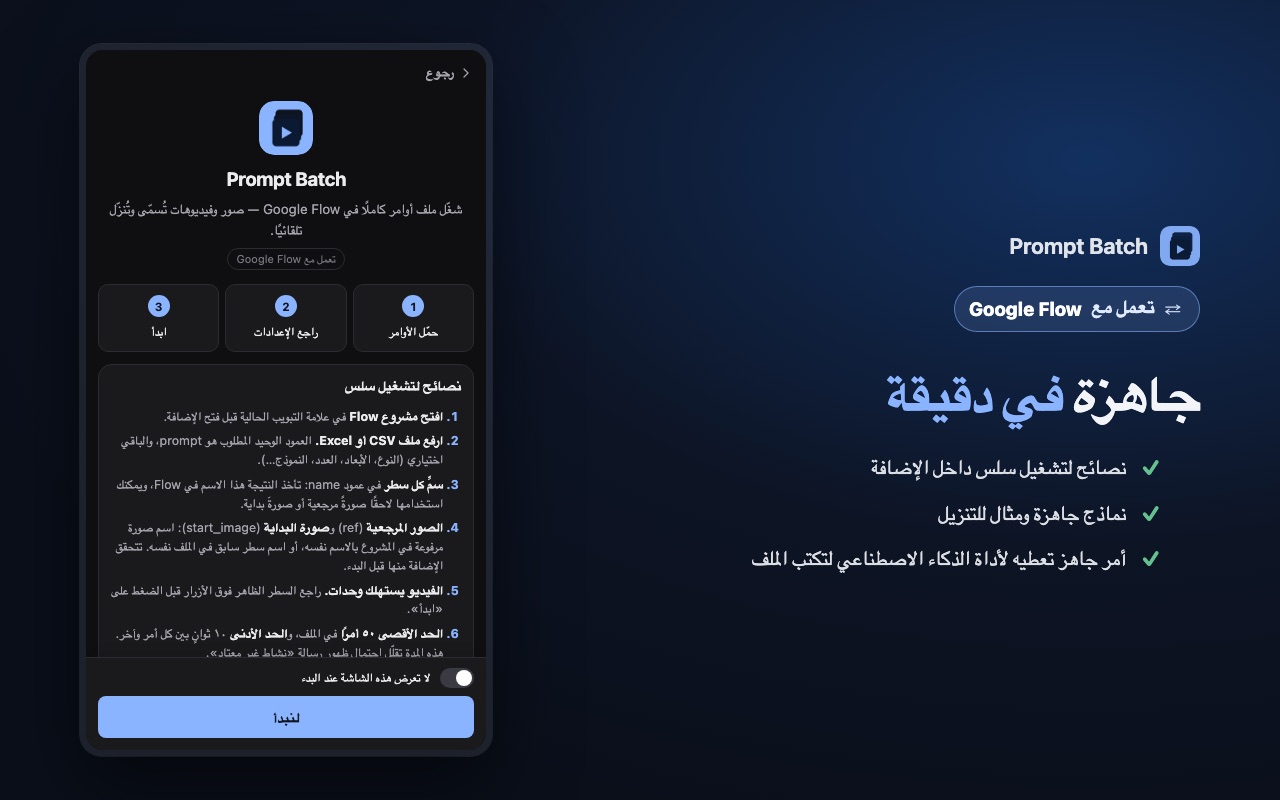
Don't want to start from zero? The panel has two ready templates (an empty one and a small test run) under the drop box.
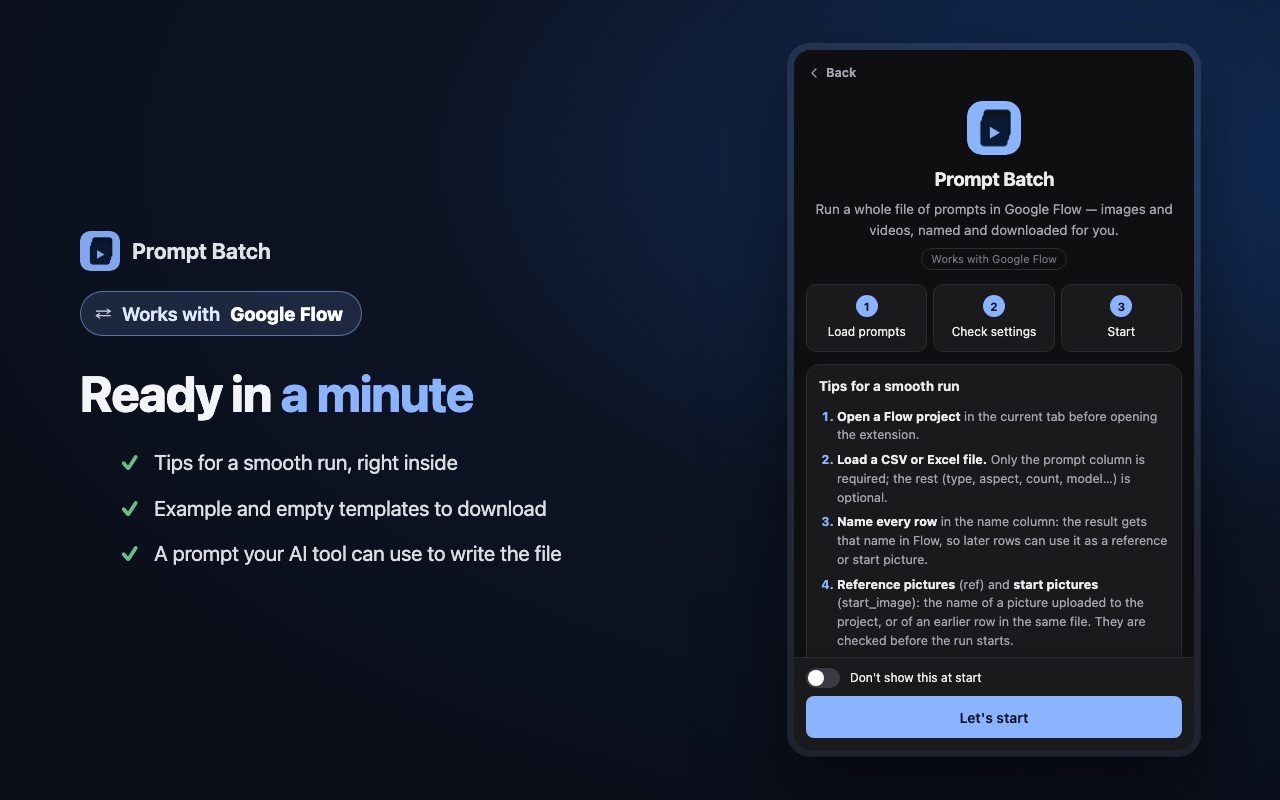
Prompt Batch welcome screen with tips and templates
Tips and ready templates, inside the panel (⚙ → Tips & templates).

2. Load it in Flow

  1. Open your Flow project.
  2. Click the Prompt Batch icon in Chrome's toolbar. The side panel opens next to Flow.
  3. Drop your file on the panel (or press it to choose the file).

Each prompt becomes a row in the queue. Above the Start button, the panel shows what the run will make: how many images and videos, and about how many credits. If a row's ref or start_image names a picture that is not in the project, the panel tells you before anything is made.
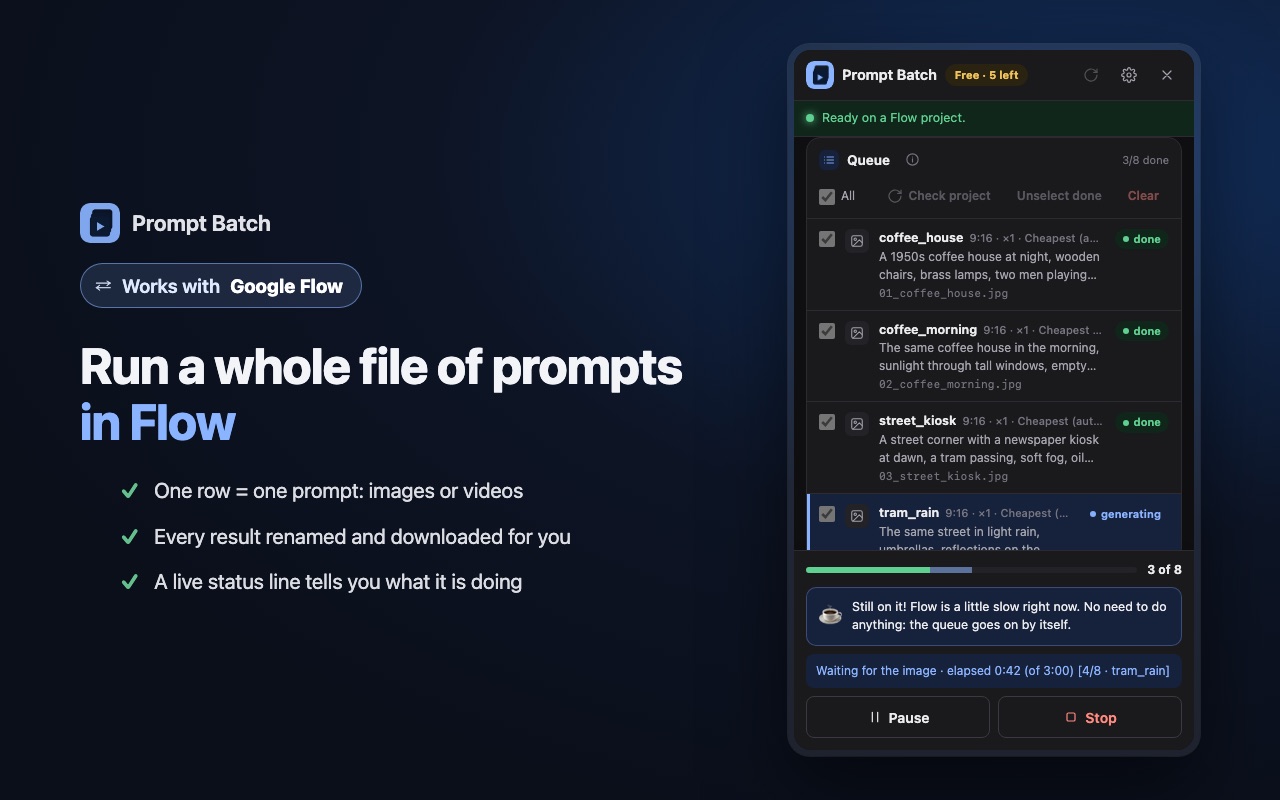
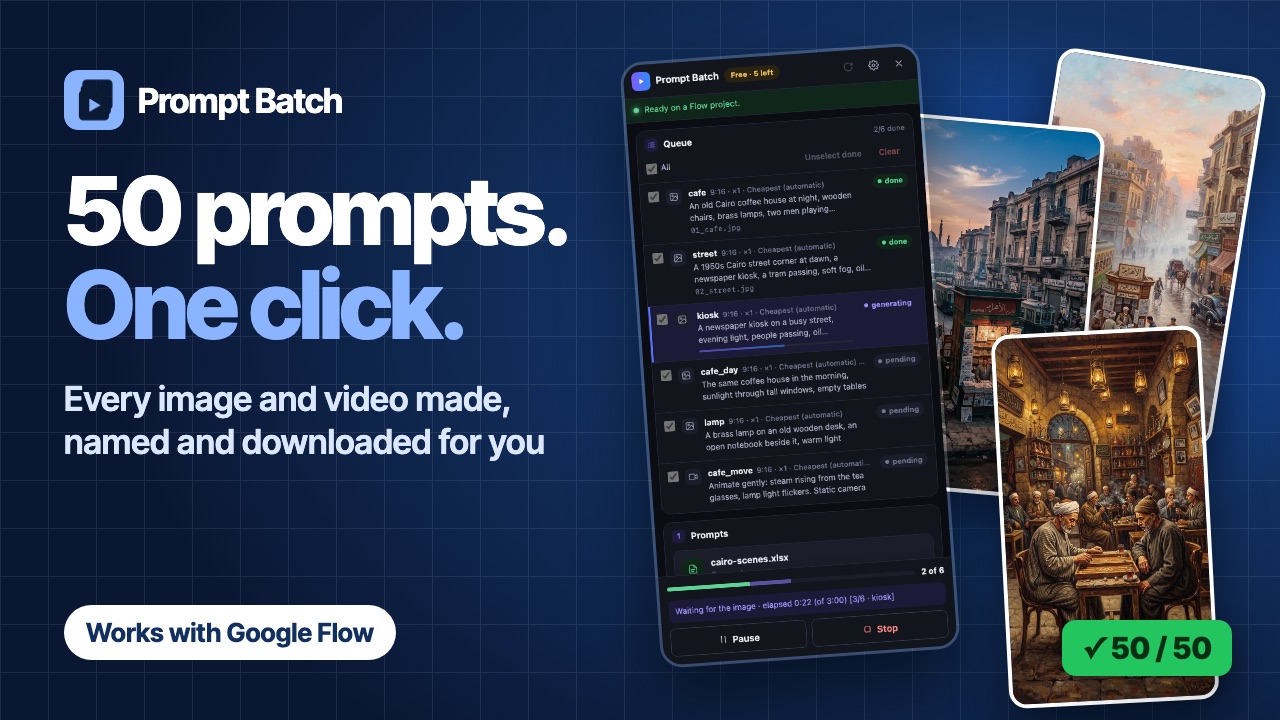
A Prompt Batch run in progress in the side panel
A run in progress: every row with its file name, and the status line at the bottom.

3. Check the settings

  • Defaults: the type, shape and model used by rows that leave those columns empty. "Cheapest (automatic)" picks the Flow model that costs the fewest credits.
  • Download: the folder inside your Downloads folder, and the size to save. More in Download every Flow result with clean names.
  • Sending: the wait between prompts. It is at least 10 seconds and changes a little each time, so the run keeps a calm, human pace. A slower pace is gentler on your account; see Tips.

4. Press Start

Press Start. If the run includes videos, the panel asks you to confirm before it spends credits. Then Prompt Batch types each prompt into Flow, waits for the result, names it, downloads it and moves on.

  • Keep the Flow tab open. It can stay in the background while you do other things.
  • The status line shows what is happening now, for example waiting for the video, row 3 of 24.
  • If one row fails, it is marked and the next one starts. One failure never stops the whole run.
  • At the end you get a summary: how many succeeded, failed or were already in the project.

Chrome shows a bar saying Prompt Batch started debugging the browser. That is expected: it is how the extension presses keys in Flow, the same way you would.
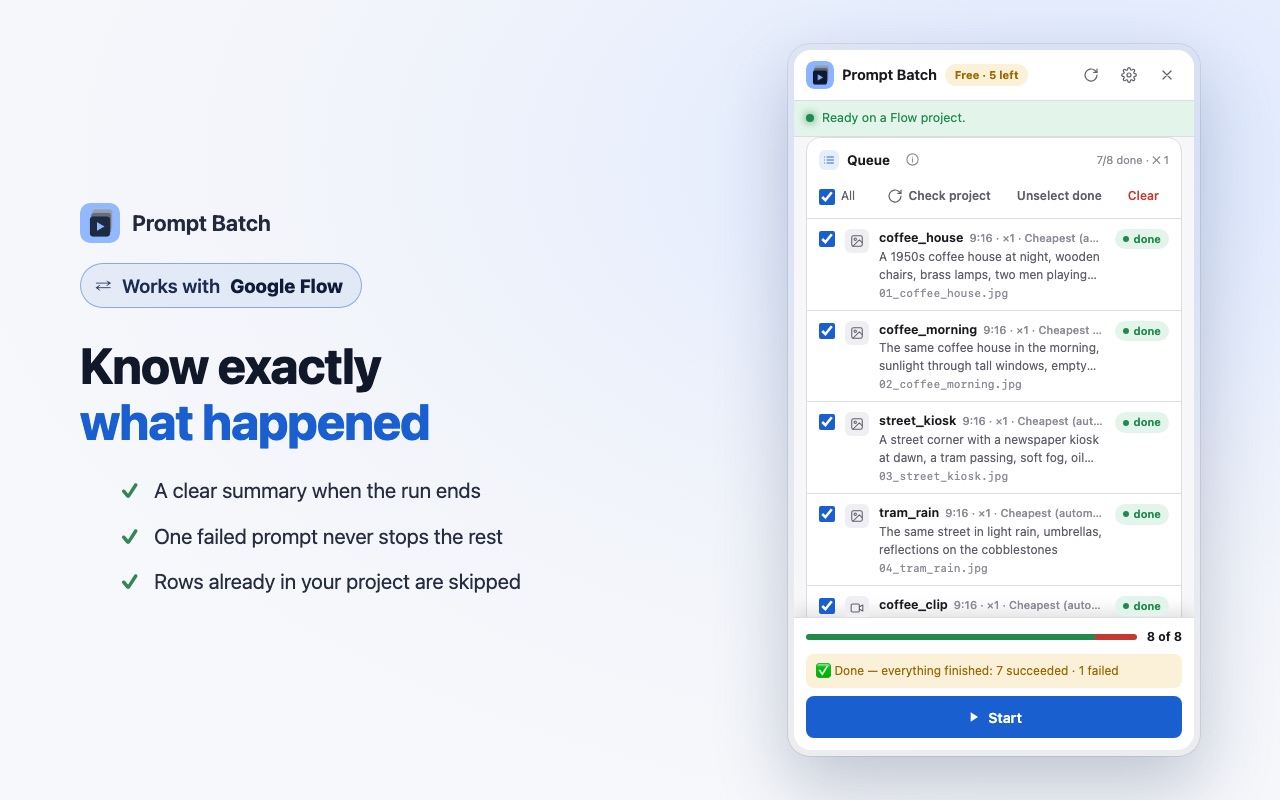
A finished Prompt Batch run with its summary
The end of a run: a clear summary of what succeeded and what failed.

5. Find your files

Every result lands in Downloads/Prompt Batch/<your file name>/ (the panel shows the exact path under Saved in:), numbered in the order of your file: 01_harbour.jpg, 02_harbour_night.jpg, 03_harbour_clip.mp4. When a prompt makes more than one result, they get _1, _2… at the end.

The first time, Chrome may ask to allow several downloads from flow.google.com. Allow it.

Tips for a smooth run

  • Start small. Run 3 to 5 prompts first, check the results, then load the full list.
  • Give rows a name. Named results are easy to find, and a later row can use them in ref or start_image. Put pictures above the videos that animate them.
  • Let an AI tool write the file. In the panel, open ⚙ → Tips & templates → "Using AI to write your prompts?". Copy the ready prompt, add your idea, and save the answer as a .csv file.
  • Respect Flow's limits. If Flow shows "We noticed some unusual activity", Prompt Batch stops before the next prompt. Wait about an hour before running again, and raise the wait between prompts. Never retry in a loop: your Google account matters more than one batch.
  • Run it again safely. Rows whose result is already in the project are found and skipped, so a second run continues where the first stopped.

Questions

Can Google Flow run a list of prompts on its own?

Flow's prompt box takes one prompt at a time, so a list means sending them one by one. Prompt Batch does that sending for you, in your own project.

Does it use my Flow credits?

Yes. It works in your own Flow account, exactly as if you typed each prompt yourself. The panel shows the expected credits before the run starts.

Is it free?

Your first 5 results are free, with every feature. Pro removes that limit: see the prices.

Does it work with Flow in Arabic?

Yes. It works with Flow in English and in Arabic, and the panel itself has eight languages, Arabic included. Arabic column names work too.

Is Prompt Batch made by Google?

No. It is an independent tool by Mansify, not made, endorsed or supported by Google. You are responsible for following Google's terms when you use Flow.
باختصار: يرسل مربع الأوامر في Google Flow أمرًا واحدًا في كل مرة، وعليك أن تنتظر كل نتيجة قبل أن تكتب الأمر التالي. لتشغيل قائمة كاملة، ضع أوامرك في ملف (Excel أو CSV أو نص عادي)، ودع إضافة Chrome ‏Prompt Batch ترسلها واحدًا تلو الآخر في مشروعك على Flow. تنتظر الإضافة كل صورة أو فيديو، ثم تسمّيه وتحمّله لك.

يعرض هذا الشرح التشغيل كاملًا، من جدول فارغ إلى مجلد فيه ملفات مسمّاة. والإضافة مجانية لأول 5 نتائج، مع كل المزايا، فتستطيع أن تجرّبها على قائمة صغيرة أولًا.

قبل أن تبدأ

  • متصفح Chrome على حاسوب. الإضافة تعمل في Chrome، ولا تعمل على الهاتف.
  • حساب Google يستطيع استخدام Flow. تعمل الإضافة داخل حسابك وتستخدم رصيدك أنت في Flow، تمامًا كما لو كتبت كل أمر بنفسك.
  • إضافة Prompt Batch من متجر Chrome. ثبّتها في شريط الأدوات ليبقى رمزها ظاهرًا.
  • مشروع مفتوح في Flow على flow.google.com. يصلح أي مشروع، حتى المشروع الفارغ.

1. جهّز ملفك

أنشئ جدولًا في أوله صف للعناوين. العمود الوحيد المطلوب هو prompt، وباقي الأعمدة اختيارية، ويمكن أن تأتي بأي ترتيب. وتعمل أيضًا العناوين العربية: برومبت، نوع، مقاس، عدد، اسم، مرجع، صورة البداية.

العمودماذا يفعلمثال
promptالنص الذي يُرسل إلى Flow (مطلوب).ميناء هادئ عند الفجر
typeصورة image أو فيديو video. فارغ = النوع الافتراضي في اللوحة.image
aspectشكل النتيجة.16:9, 9:16, 1:1
countعدد النتائج لهذا الأمر (من 1 إلى 4).2
nameاسم الملف، واسم النتيجة داخل Flow.harbour
refصور موجودة في المشروع تُستخدم مرجعًا.oil, gouache
start_imageصورة تتحوّل إلى فيديو (فيصبح هذا الصف فيديو).harbour
modelنموذج Flow لهذا الصف. فارغ = الأرخص.
resolution، durationللفيديو. فارغ = إعداد Flow الحالي.720p, 8

هذا ملف صغير يصنع صورتين، ثم يحوّل الأولى إلى فيديو:

prompt,type,aspect,name,start_image
"A quiet harbour at dawn, fishing boats, soft mist",image,16:9,harbour,
"The same harbour at night, lanterns on the boats",image,16:9,harbour_night,
"Slow push-in, gentle waves, mist drifting",,16:9,harbour_clip,harbour

ويصلح أيضًا ملف نصي عادي: أمر واحد في كل سطر، وتحدد إعدادات اللوحة الباقي. ويمكنك كذلك أن تلصق الأوامر في اللوحة مباشرة. يتّسع كل ملف لـ 50 أمرًا، فإذا كانت قائمتك أطول فقسّمها على أكثر من ملف.

لا تريد أن تبدأ من الصفر؟ تحت مربع الإفلات في اللوحة قالبان جاهزان: قالب فارغ، وتجربة صغيرة.

شاشة الترحيب في Prompt Batch مع النصائح والنماذج
النصائح والنماذج الجاهزة داخل اللوحة (⚙ ← نصائح ونماذج).

2. حمّله في Flow

  1. افتح مشروعك في Flow.
  2. اضغط رمز Prompt Batch في شريط أدوات Chrome، فتُفتح اللوحة الجانبية بجوار Flow.
  3. أفلت ملفك على اللوحة، أو اضغطها لتختار الملف.

يصبح كل أمر صفًا في القائمة. وفوق زر «ابدأ» تعرض اللوحة ما سيُصنع: عدد الصور والفيديوهات، والرصيد المتوقع تقريبًا. وإذا ذكر صفٌّ في ref أو start_image صورة غير موجودة في المشروع، تخبرك اللوحة بذلك قبل أن يُصنع أي شيء.

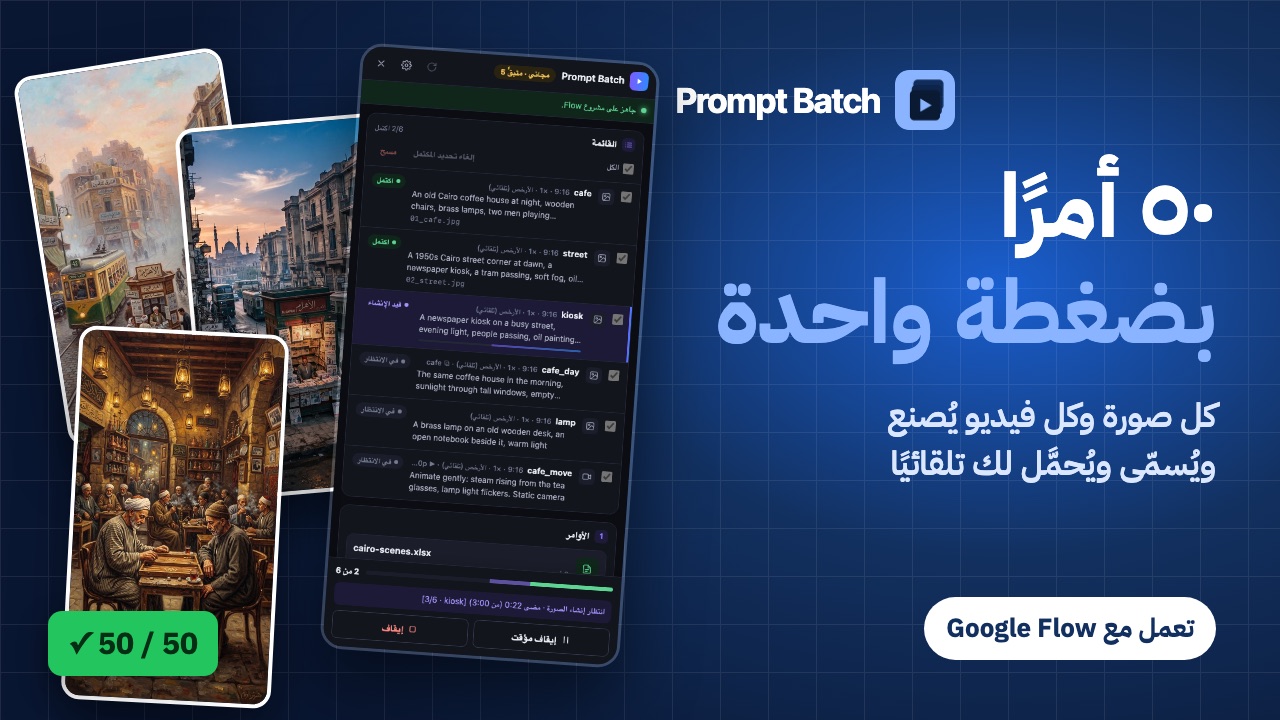
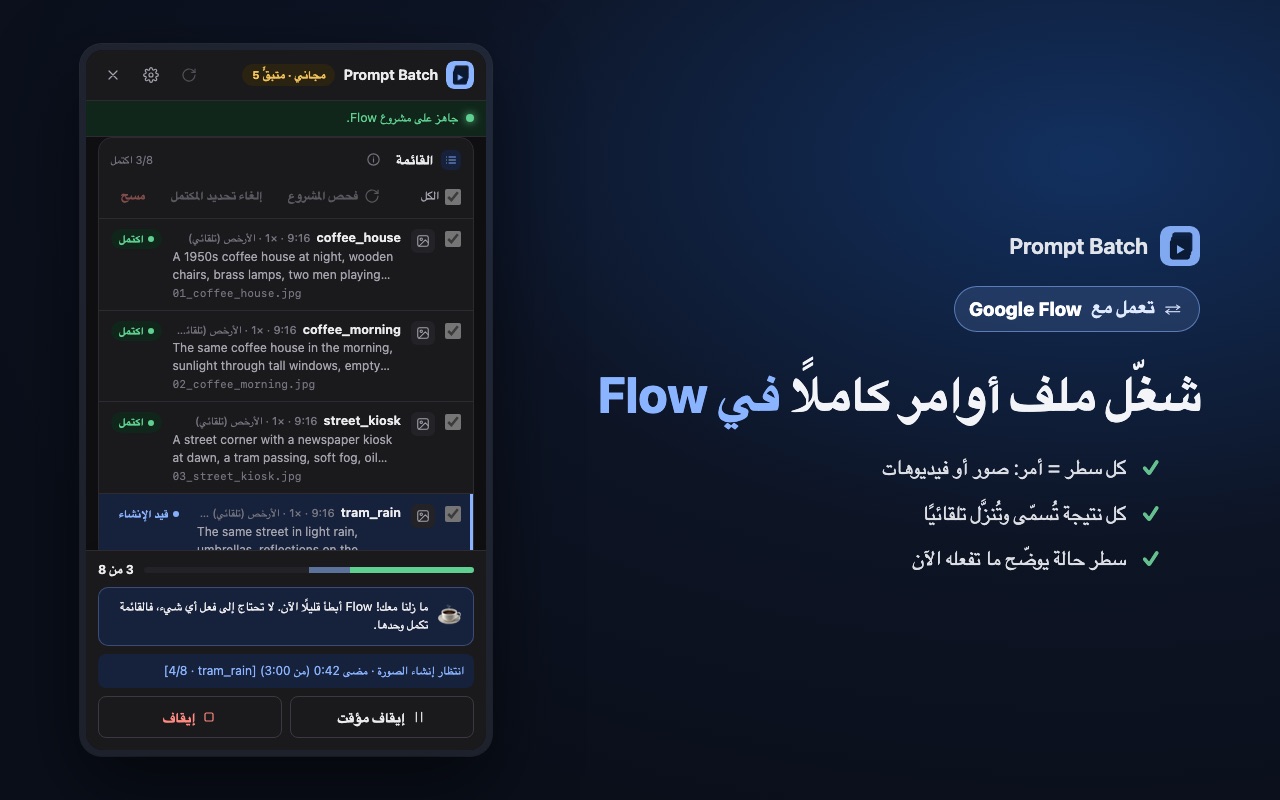
تشغيل قيد العمل في لوحة Prompt Batch
تشغيل قيد العمل: كل صف مع اسم ملفه، وسطر الحالة في الأسفل.

3. راجع الإعدادات

  • الإعدادات الافتراضية: النوع والشكل والنموذج للصفوف التي تترك هذه الأعمدة فارغة. وخيار «الأرخص (تلقائي)» يختار نموذج Flow الذي يستهلك أقل رصيد.
  • التحميل: المجلد داخل مجلد التنزيلات، والحجم الذي يُحفظ. والتفاصيل في شرح حمّل كل نتائج Flow بأسماء مرتّبة.
  • الإرسال: مدة الانتظار بين الأوامر. لا تقل عن 10 ثوانٍ، وتتغيّر قليلًا في كل مرة، فيبقى الإيقاع هادئًا يشبه إيقاع الإنسان. والإيقاع الأبطأ أرفق بحسابك، كما في النصائح.

4. اضغط «ابدأ»

اضغط «ابدأ». وإذا كان في القائمة فيديوهات، تطلب اللوحة تأكيدك قبل استهلاك الرصيد. بعد ذلك تكتب الإضافة كل أمر في Flow، وتنتظر النتيجة، وتسمّيها، وتحمّلها، ثم تنتقل إلى الأمر التالي.

  • اترك تبويب Flow مفتوحًا. ويمكن أن يبقى في الخلفية وأنت تعمل على شيء آخر.
  • يعرض سطر الحالة ما يحدث الآن، مثل: في انتظار الفيديو، الصف 3 من 24.
  • إذا فشل صف، يُعلَّم ويبدأ الصف التالي. فشل صف واحد لا يوقف القائمة كلها.
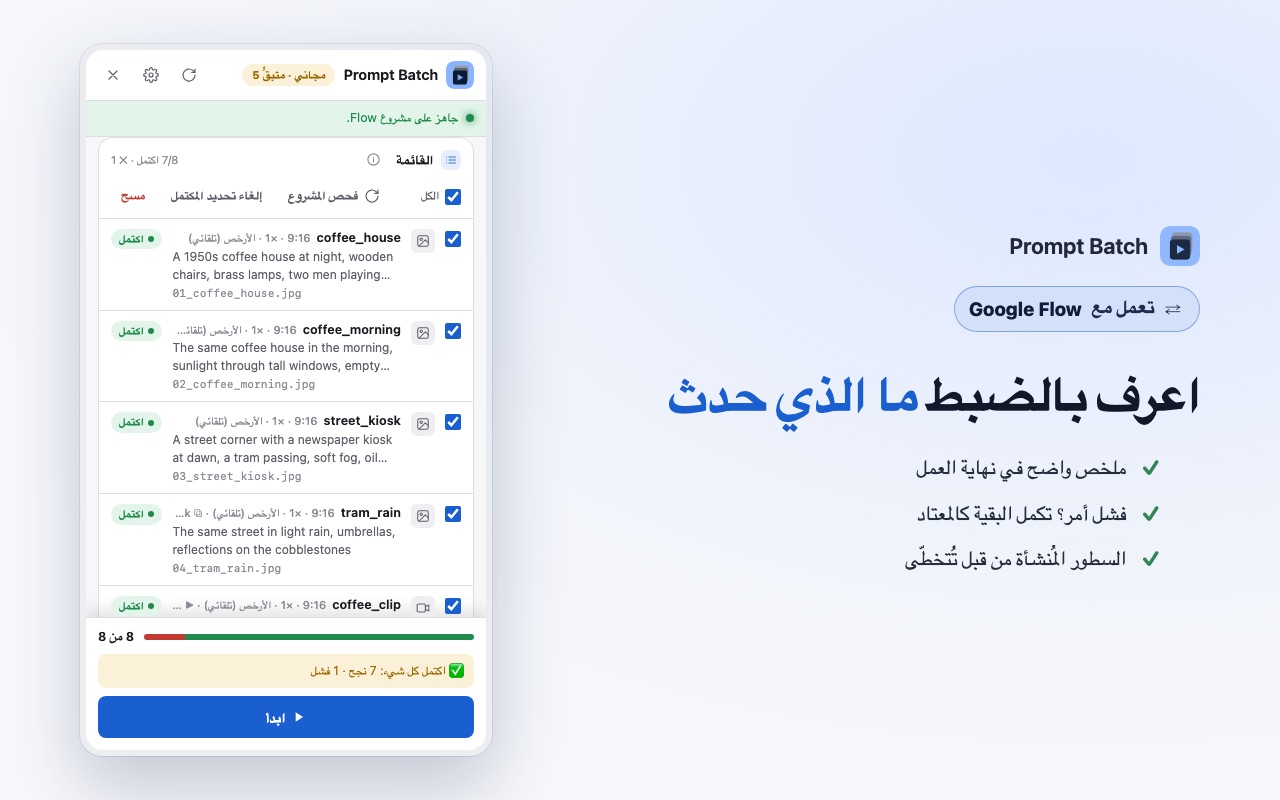
  • في النهاية يظهر ملخص: كم نجح، وكم فشل، وكم كان موجودًا في المشروع من قبل.

سيعرض Chrome شريطًا يقول إن Prompt Batch بدأت تصحيح المتصفح. هذا متوقع: هكذا تضغط الإضافة المفاتيح في Flow، كما تفعل أنت تمامًا.

تشغيل مكتمل في Prompt Batch مع الملخص
نهاية التشغيل: ملخص واضح لما نجح وما فشل.

5. اعثر على ملفاتك

تُحفظ كل نتيجة في Downloads/Prompt Batch/<اسم ملفك>/ (وتعرض اللوحة المسار الدقيق في سطر «تُحفظ في:»)، مرقّمة بترتيب ملفك: 01_harbour.jpg و02_harbour_night.jpg و03_harbour_clip.mp4. وإذا صنع الأمر أكثر من نتيجة، يُضاف إلى آخر الاسم _1 و_2…

في أول مرة، قد يسألك Chrome عن السماح بتنزيل عدة ملفات من flow.google.com. اسمح بذلك.

نصائح لتشغيل هادئ

  • ابدأ بقائمة صغيرة. شغّل من 3 إلى 5 أوامر أولًا، وراجع النتائج، ثم حمّل القائمة كاملة.
  • أعطِ الصفوف أسماء. النتائج المسمّاة يسهل العثور عليها، ويستطيع صف لاحق أن يستخدمها في ref أو start_image. ضع الصور فوق الفيديوهات التي تحرّكها.
  • اترك أداة ذكاء اصطناعي تكتب الملف. في اللوحة افتح ⚙ ← «نصائح ونماذج» ← «هل تستخدم الذكاء الاصطناعي لكتابة أوامرك؟». انسخ الأمر الجاهز، وأضف فكرتك، واحفظ الإجابة ملف .csv.
  • احترم حدود Flow. إذا أبلغ Flow عن «نشاط غير معتاد»، تتوقف الإضافة قبل الأمر التالي. انتظر نحو ساعة قبل التشغيل مرة أخرى، وزِد مدة الانتظار بين الأوامر. ولا تُعِد المحاولة مرارًا: حسابك في Google أهم من أي قائمة.
  • أعِد التشغيل بأمان. الصفوف التي توجد نتيجتها في المشروع تُكتشف وتُتخطّى، فيكمل التشغيل الثاني من حيث توقف الأول.

أسئلة

هل يستطيع Google Flow تشغيل قائمة أوامر وحده؟

يأخذ مربع الأوامر في Flow أمرًا واحدًا في كل مرة، فتشغيل قائمة يعني إرسال أوامرها واحدًا تلو الآخر. وPrompt Batch تتولى هذا الإرسال عنك، داخل مشروعك.

هل تستخدم رصيدي في Flow؟

نعم. تعمل داخل حسابك في Flow، تمامًا كما لو كتبت كل أمر بنفسك. وتعرض اللوحة الرصيد المتوقع قبل بدء التشغيل.

هل هي مجانية؟

أول 5 نتائج مجانية، مع كل المزايا. والنسخة الاحترافية تزيل هذا الحد: اطّلع على الأسعار.

هل تعمل مع Flow باللغة العربية؟

نعم. تعمل مع Flow بالإنجليزية وبالعربية، واللوحة نفسها بثماني لغات منها العربية. وتعمل أيضًا عناوين الأعمدة العربية.

هل صنعت Google إضافة Prompt Batch؟

لا. إنها أداة مستقلة من Mansify، لم تصنعها Google ولا تعتمدها ولا تدعمها. وأنت مسؤول عن الالتزام بشروط Google عند استخدام Flow.

Watch the Prompt Batch tutorial شاهد شرح Prompt Batch

See a full run in 2 minutes. The video loads from YouTube when you press play.شاهد تشغيلًا كاملًا في دقيقتين. يُحمَّل الفيديو من YouTube عندما تضغط التشغيل.

Add to Chrome, freeأضِفها إلى Chrome مجانًا About Prompt Batchعن Prompt Batch

Questions? Just ask.لديك سؤال؟ راسلنا.